Save the page, or every tab
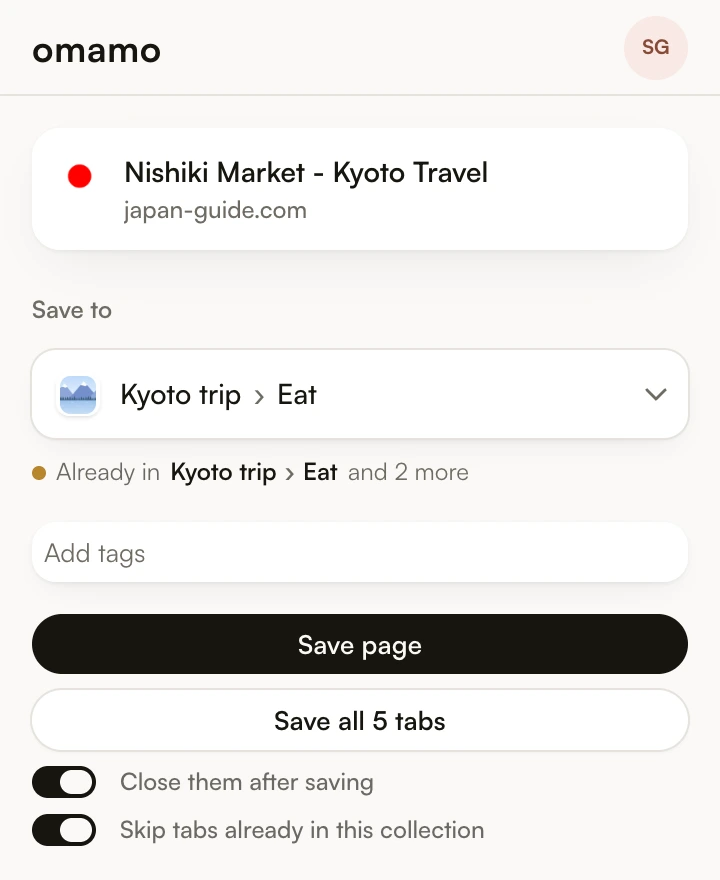
Press the toolbar button and choose the board and collection once. Save page keeps the tab you are on. Save all keeps every tab in the window, can skip the ones already in that collection, and can close them for you as they land.
Right-click anything
Right-click a page, a link, an image, or a selection of text, and save just that. A small notice on the page says where it went, with a link to open it.
Your desk on every new tab
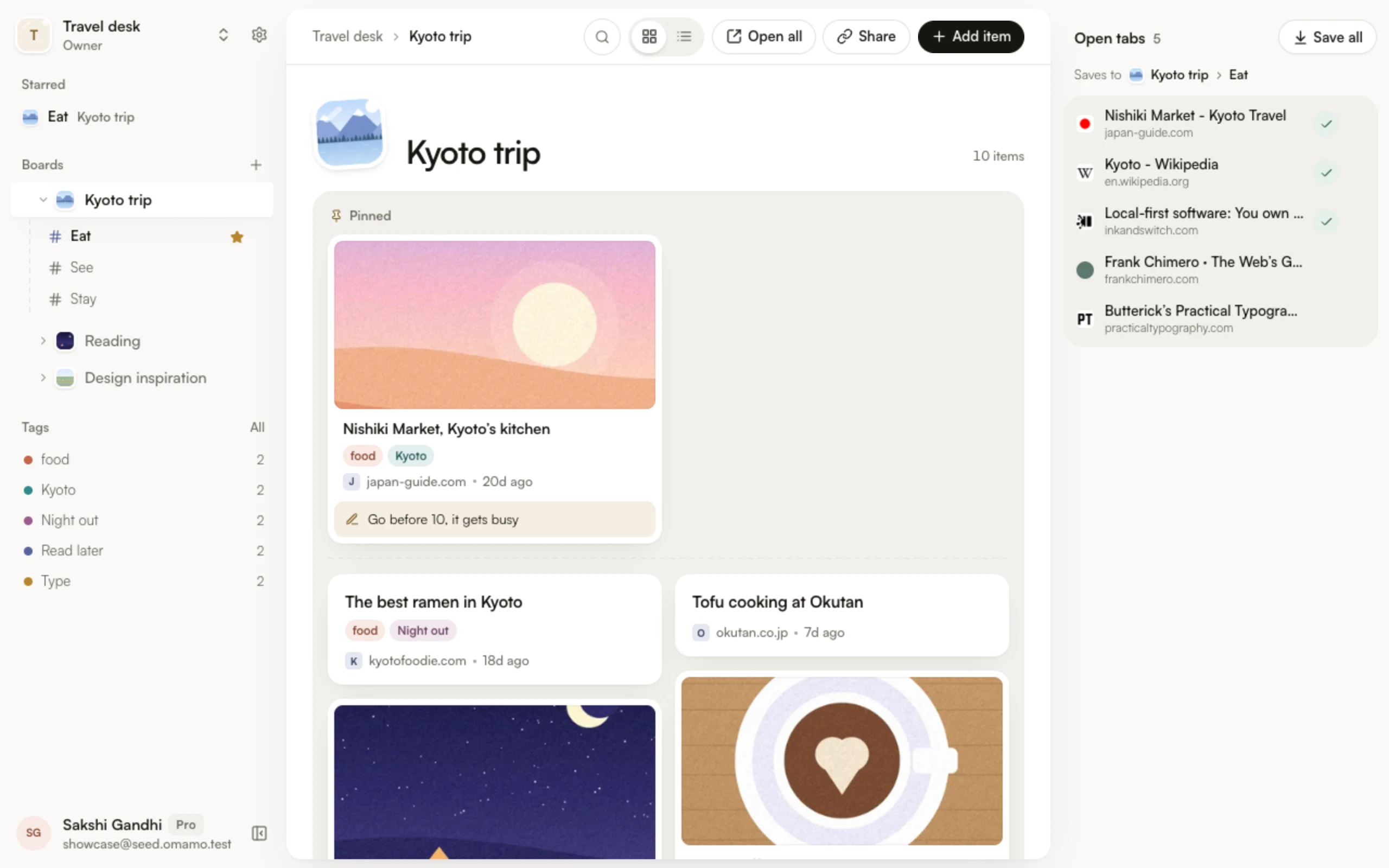
Every new tab opens your Omamo desk, with the tabs you have open beside it. Drag a tab into any collection, or save them all at once. Chrome asks once whether to keep the new tab page.
Open a whole collection again
Open all brings a collection back as one tab group, named after it. On a board, each collection opens as its own group.
Words, tags, and a note
When you save an article, Omamo keeps its words, so it opens later in a calm Reader, even if the page changes. Add tags as you save, and Omamo tells you when a link is saved already.
Chrome and Edge
Install it from the Chrome Web Store, or in Microsoft Edge from Edge Add-ons. Both are the same extension. Press Alt+Shift+S to open it from the keyboard.